KPI set
Base/planned/incremental volume, uplift, gross sales, net invoice value, revenue, cost of goods sold, gross profit, GP ROI %, gross margin %, total and incremental spend, long-term agreement shares.
CollMind TPM · Analytics
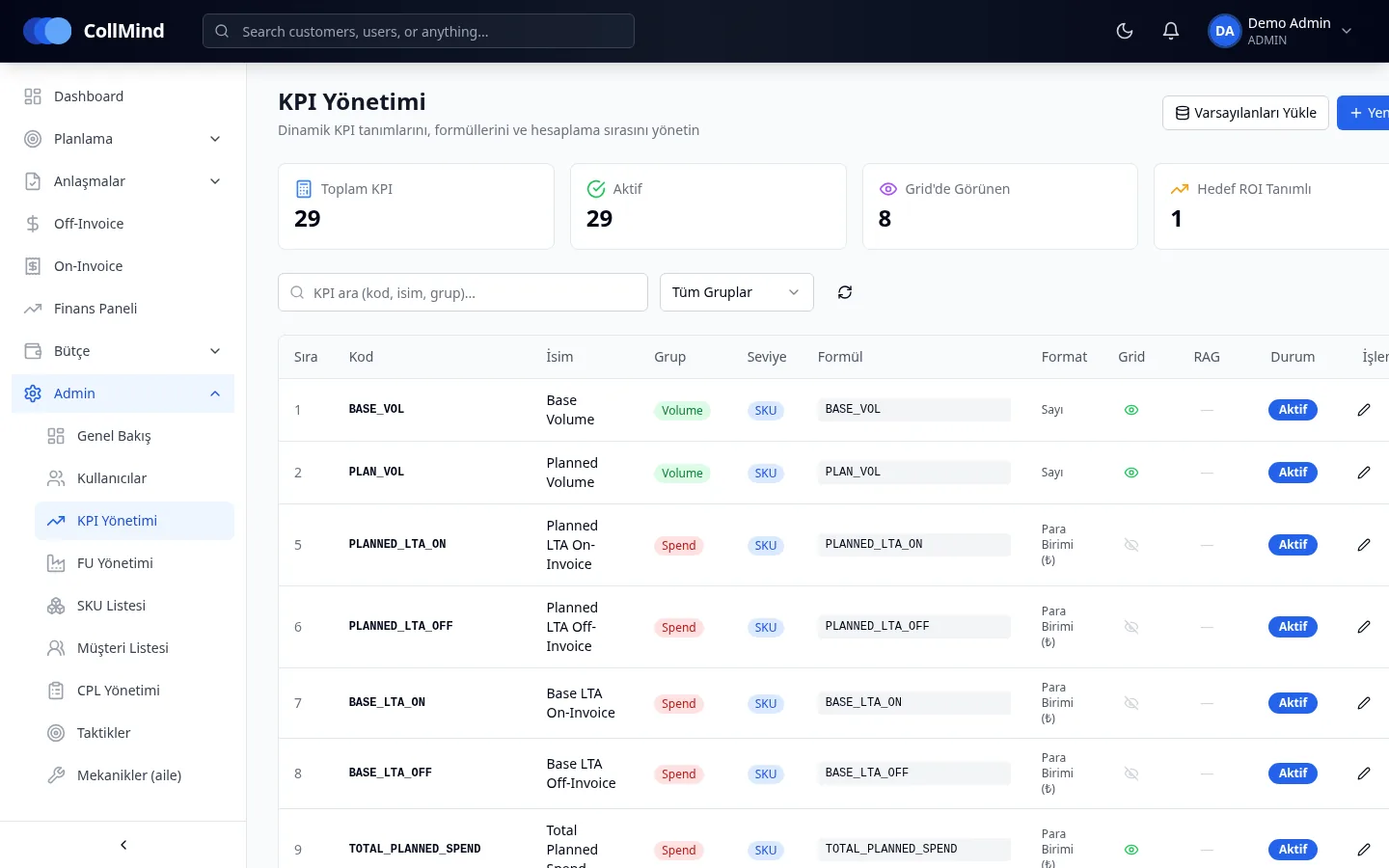
KPI formulas are not hard-coded; they are defined in the database, editable by administrators and calculated on the server. The target ROI threshold is configurable and KPIs get a red/amber/green colour. Where a product has no cost, profit shows as “could not be calculated” — never as zero or a false green.
The challenge
Sales, marketing and finance calculate the same campaign’s return with different formulas. When a formula changes, old files keep the old maths, and products with missing cost look profitable.
How it works
KPI formulas are defined once in the KPI library on an admin screen.
As the plan is filled in, KPIs are calculated on the server with the same formulas.
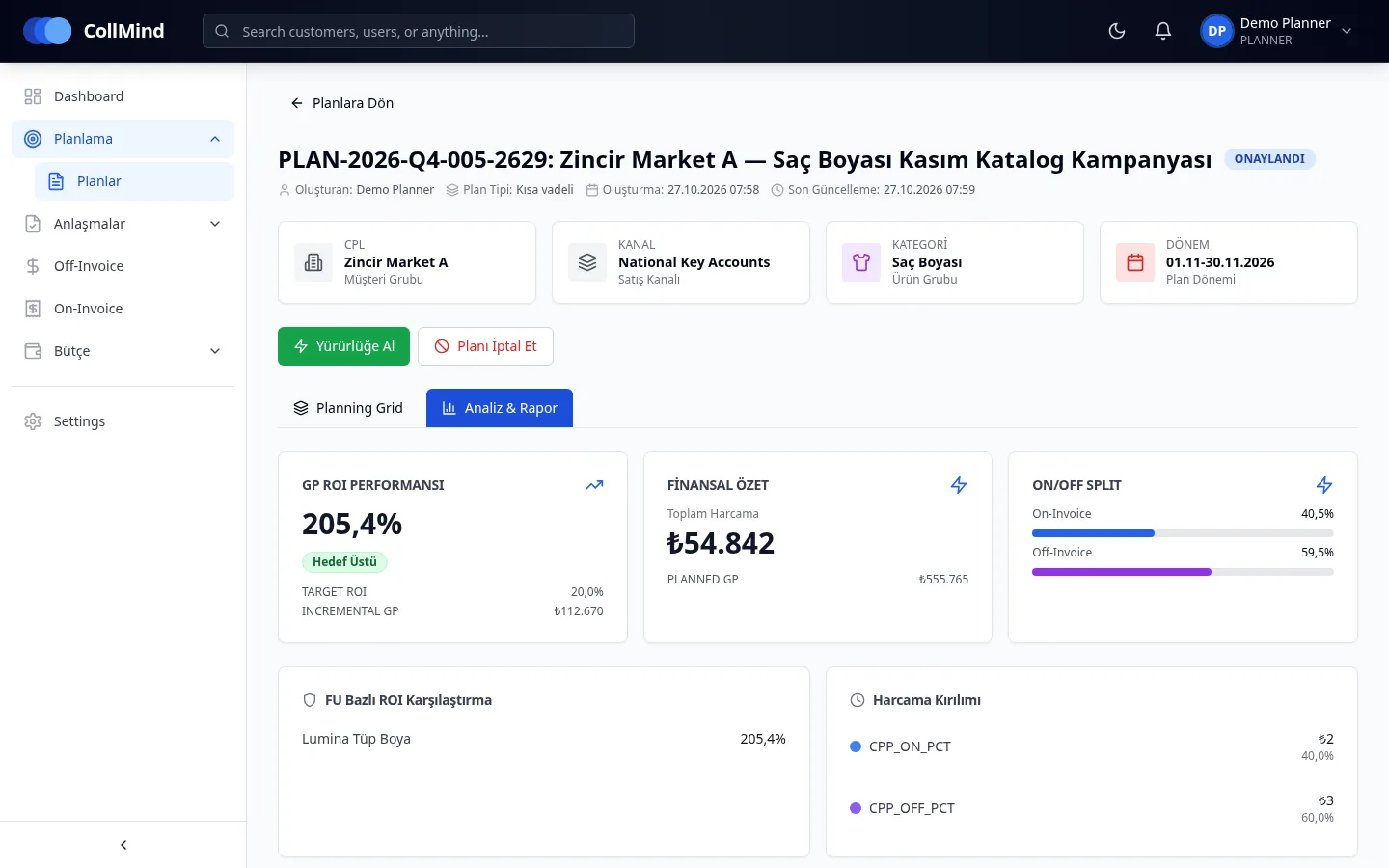
The analysis tab shows GP ROI against target, a financial summary, on/off-invoice split and ROI by product group.
The finance dashboard shows budget usage, budget at risk, spend mix and a cash-flow projection.
Key capabilities
Base/planned/incremental volume, uplift, gross sales, net invoice value, revenue, cost of goods sold, gross profit, GP ROI %, gross margin %, total and incremental spend, long-term agreement shares.
Formulas live in the database and are edited by administrators; calculation runs on the server.
Configurable target ROI threshold; KPIs coloured red/amber/green.
Products without cost show profit as “could not be calculated”; zero is never assumed.
GP ROI performance, financial summary, on/off-invoice split, ROI by product group and spend by tactic.
Plan performance, budget usage, budget at risk, spend mix and trend, variance, cash-flow projection and mechanic effectiveness; currently based on planned spend.
Screens
Who it is for
Owns the return definitions and monitors plan and portfolio profitability.
See the plan’s status against target ROI on the plan screen.
Manage KPI formulas and visibility.
Screenshots use demo data; brand, customer and user names are illustrative. The product UI is shown in Turkish.
Roadmap
The items below are not yet available; they are in development or planned.
Planned vs. actual volume and spend once actuals matching is complete.
We will show how your own ROI and incremental profit definitions are calculated in CollMind TPM.