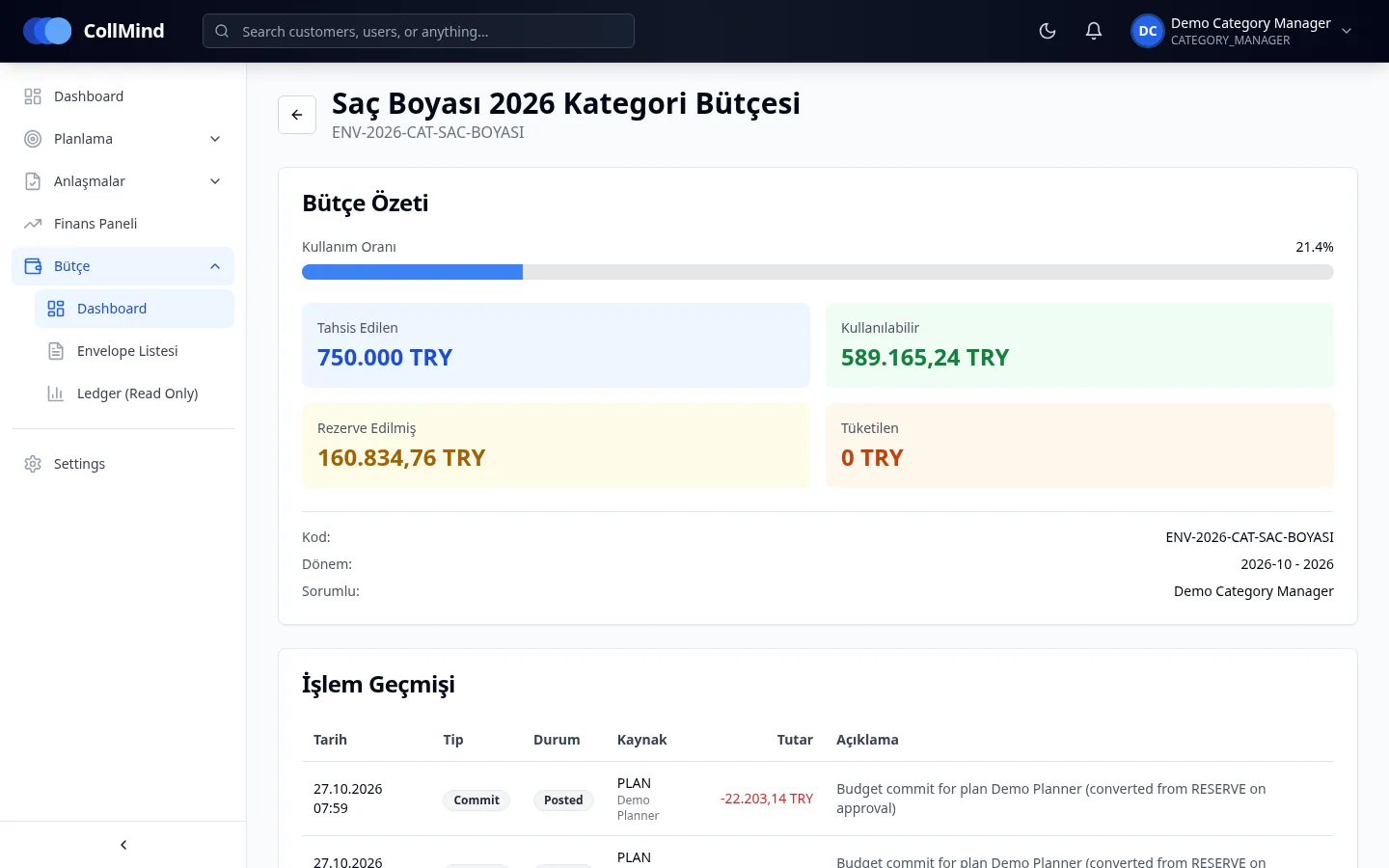
Envelope structure
Category (and channel) × period; envelope list and envelope detail.
CollMind TPM · Budget
Trade budget is split into category (and channel) × period envelopes. When a plan is approved, its amount is committed from the envelope and the available balance updates instantly. Every movement goes to an append-only ledger; nothing is deleted and corrections are made with reversing entries.
The challenge
When budgets live in spreadsheets, approving a plan takes nothing out of the budget. Two teams can plan the same money independently, and overspend is usually noticed only after the money is gone.
How it works
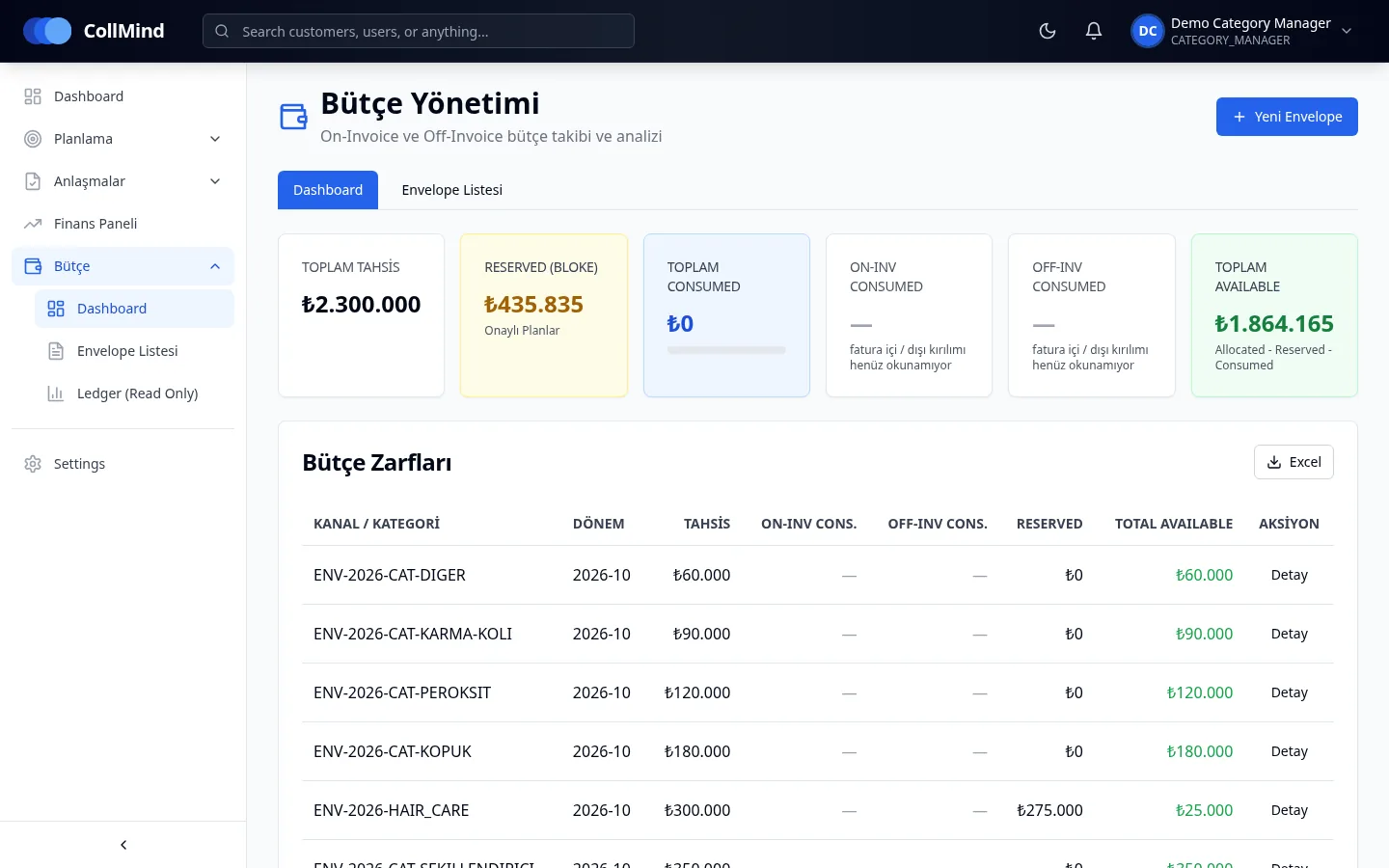
Finance enters envelopes and allocations by category (and channel) × period.
When a plan is submitted, the available balance in its envelope is checked.
The approved plan’s amount is committed from the envelope and moves to consumption as actuals arrive.
Every movement is recorded with date, type, source and amount; corrections use reversing entries.
Key capabilities
Category (and channel) × period; envelope list and envelope detail.
Three buckets tracked separately; available balance and usage rate update instantly.
Append-only, nothing is deleted; protected against concurrent approvals.
Envelope usage is shown with colour and a warning.
A plan that would exceed the envelope is blocked on the planning side.
Budget checks and consumption are kept separately for on- and off-invoice legs.
Screens
Who it is for
Defines the budget and follows usage and movements.
See how much budget is left in their category before they plan.
Follow budget usage by category and period on one screen.
Screenshots use demo data; brand, customer and user names are illustrative. The product UI is shown in Turkish.
Roadmap
The items below are not yet available; they are in development or planned.
We will show how your category and period budget is tracked with commitments and a ledger in CollMind TPM.