Product and organisation hierarchy
Brand → category → product group → forecasting unit → SKU; channel → customer group → customer.
CollMind TPM · Planning
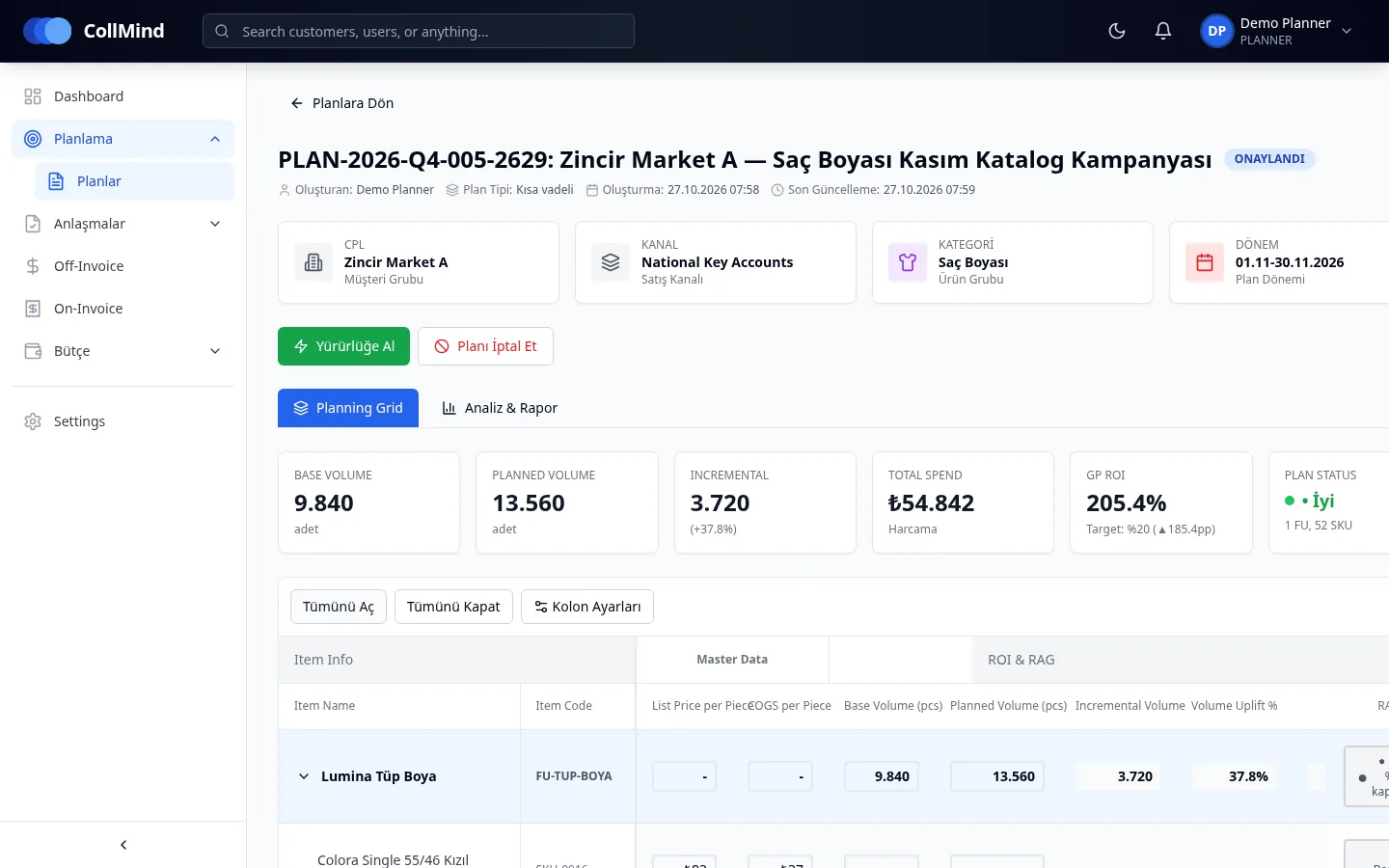
Planners enter tactics and volume for product groups for a customer group and period. Volume is distributed to SKUs by historical sales share; spend, incremental volume and profitability are calculated instantly and the plan is sent for approval. The volume estimate stays the planner’s; the system does not replace it with a forecast, it does the maths.
The challenge
Promotion plans are often built in one spreadsheet per customer, filled in SKU by SKU. Each file has its own formulas and product list; spend and profitability are calculated by hand and nobody is sure which version was approved.
How it works
Pick the customer group, channel, category, period and plan type (short or long term).
Add product groups (forecasting units); their SKUs open up in the planning grid.
Tactics and volume are entered at product-group level; volume spreads to SKUs by historical share.
An edited cell is locked and the remainder is redistributed to the other SKUs; the total is preserved.
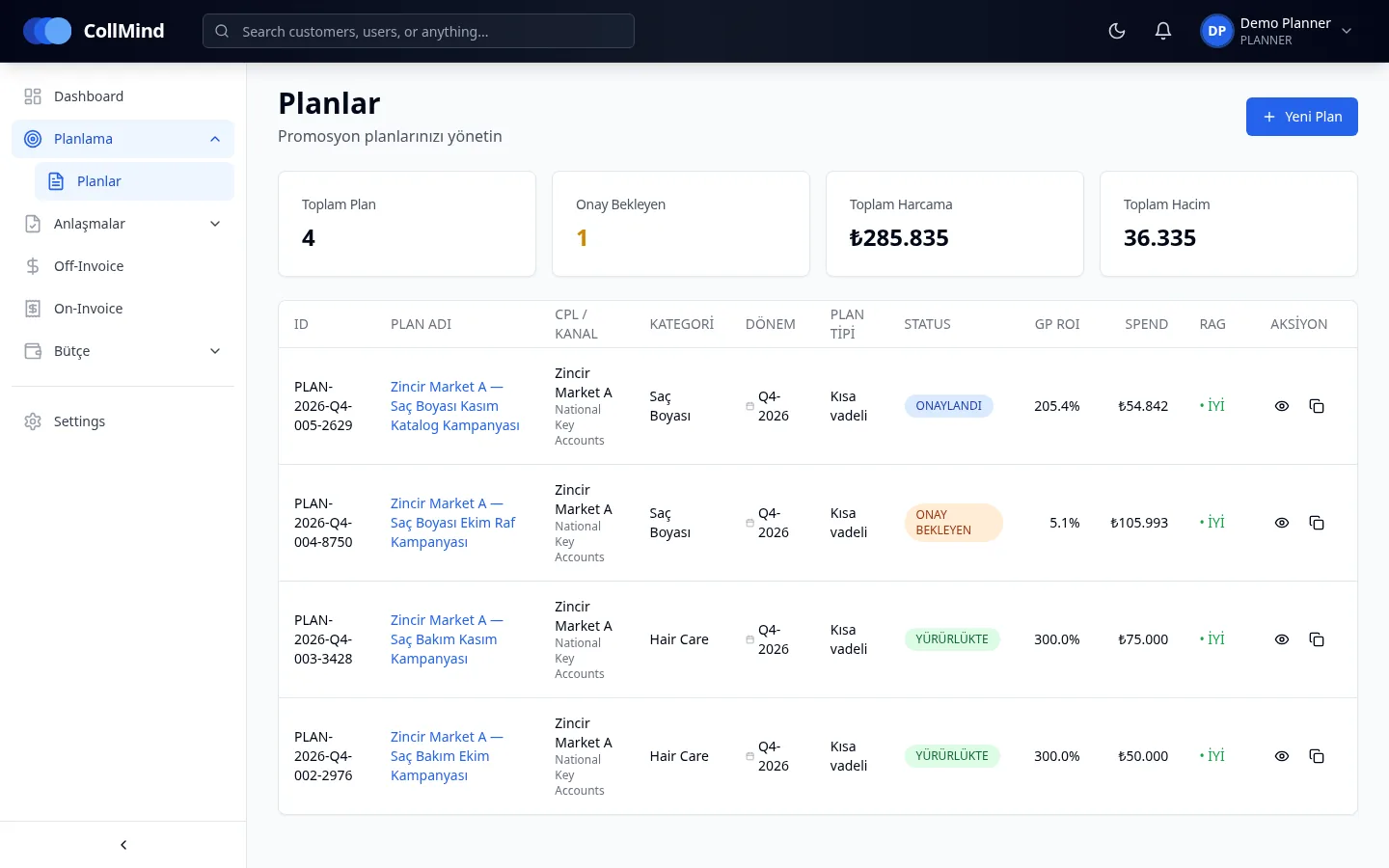
With spend, incremental profit and GP ROI calculated, the plan passes a budget check and enters the approval queue.
Key capabilities
Brand → category → product group → forecasting unit → SKU; channel → customer group → customer.
Volume spreads to SKUs by historical share; edited cells are locked. A new product with no history gets zero share and is flagged.
Nine tactics in six families: on- and off-invoice percentage support, per-unit price support, visibility/activation lump sums and wholesale channel discounts.
Base volume is imported; incremental volume, uplift and incremental profit are calculated.
Base, planned and incremental volume, total spend, GP ROI and plan status against target.
Each plan has its own period and date range; multi-month plans are prorated by day.
Screens
Who it is for
Build the plan, enter tactics and volume, submit for approval.
Follow plans in their category and their status against target.
See that spend and profitability are calculated with one definition.
Screenshots use demo data; brand, customer and user names are illustrative. The product UI is shown in Turkish.
Roadmap
The items below are not yet available; they are in development or planned.
We will show how a promotion plan is built in CollMind TPM with your own product and customer structure.