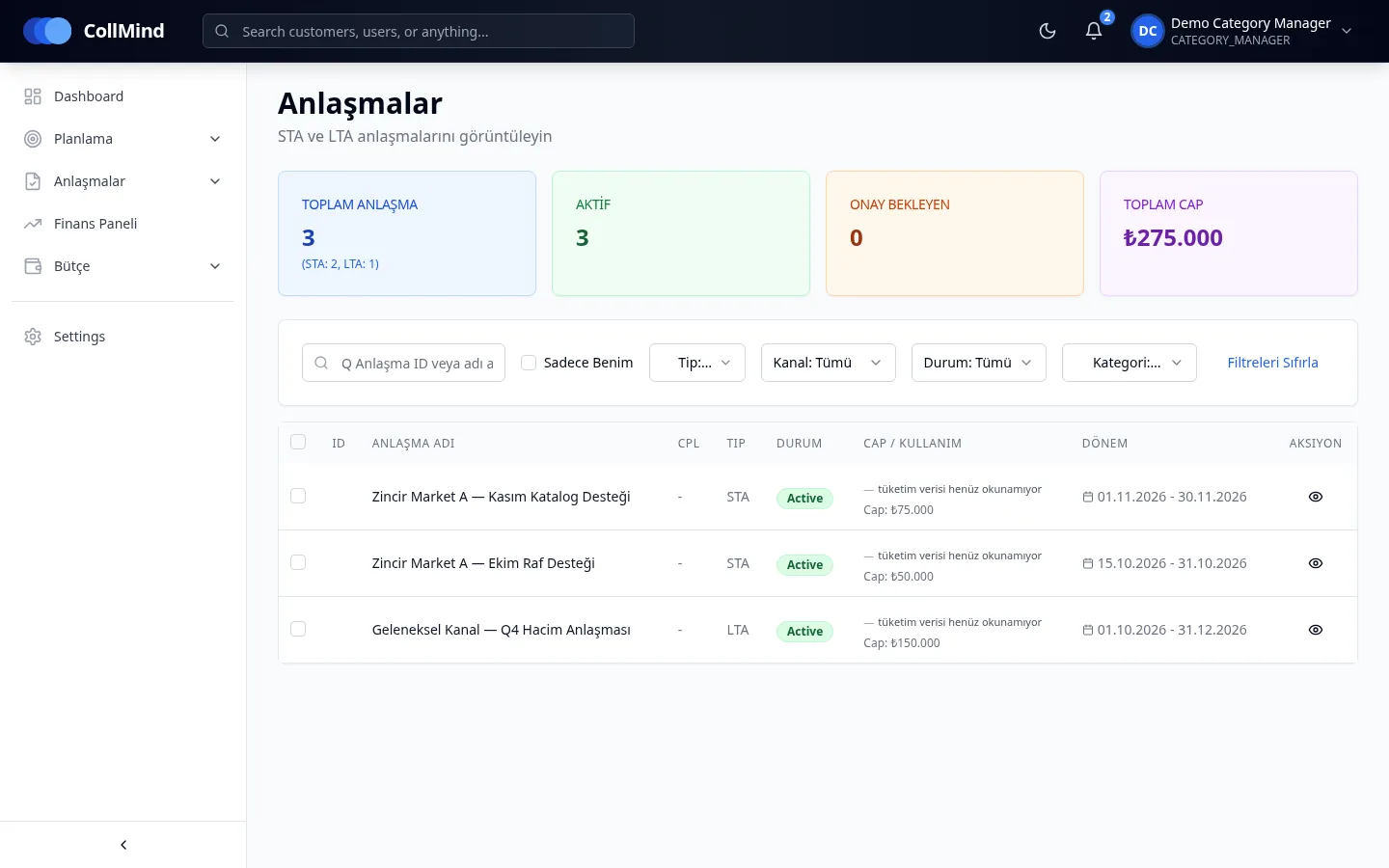
Short-term agreements
Derived from activated plans; listed with type, status, cap and period.
CollMind TPM · Agreements
An activated plan becomes a short-term agreement; long-term agreements enter plan calculations through rate tables, sliced by period. On- and off-invoice transactions are uploaded via Excel/CSV and validated row by row; claims can be entered manually and wrong entries are corrected with reversing entries.
The challenge
Annual discount agreements and periodic support sit in contract files, while realised discounts sit in separate spreadsheets. Nobody can see in one place how an agreement enters the plan calculation, or which transaction belongs to which agreement.
How it works
When an approved plan is activated, a short-term agreement is created.
Rate-based long-term agreements enter plan calculations by period; if a rate is missing, the calculation stops by name instead of assuming zero.
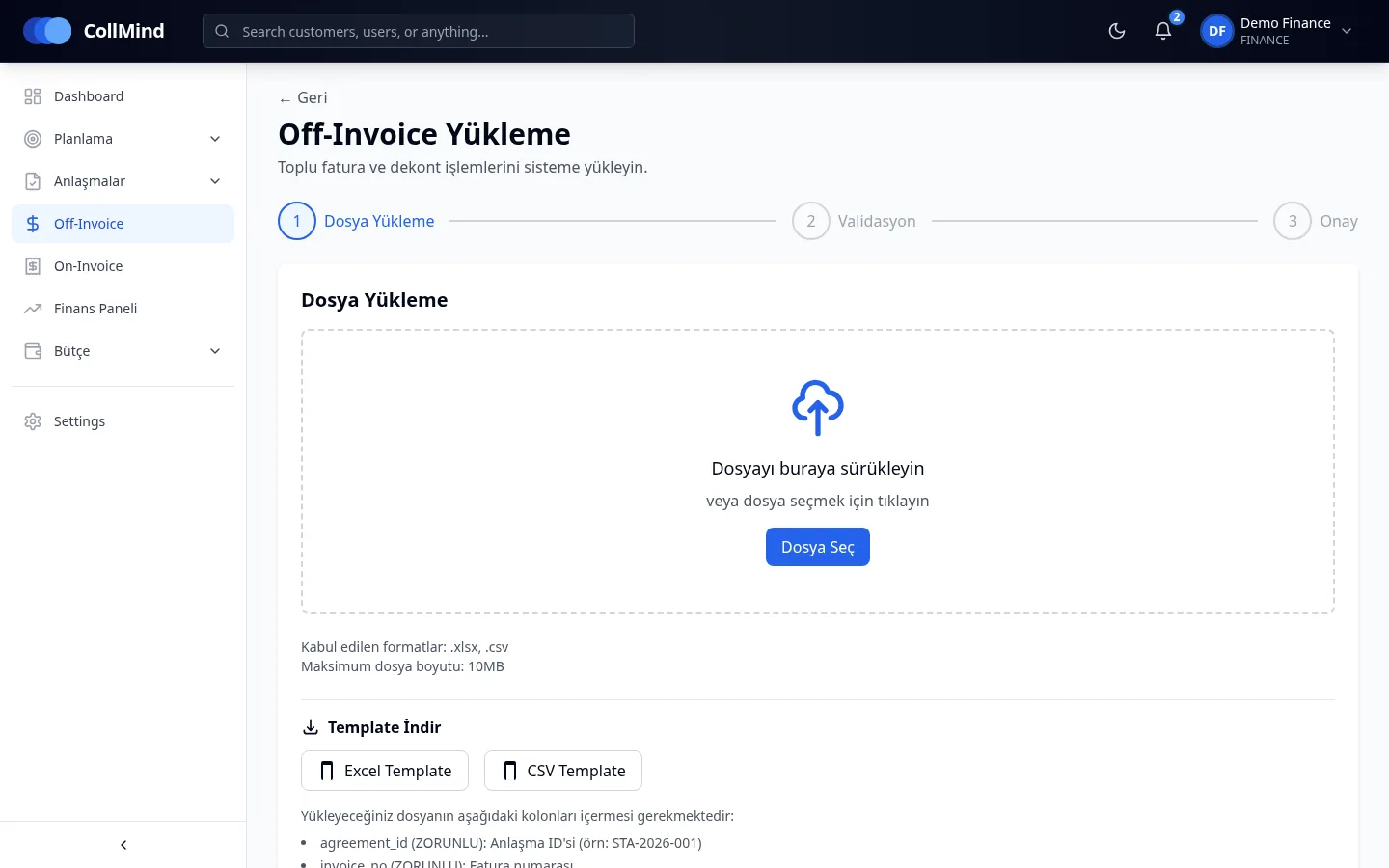
On- and off-invoice transactions are uploaded with Excel/CSV templates: upload → validate → confirm.
A row-level error report is shown; single claims are entered manually and wrong entries are closed with reversing entries.
Key capabilities
Derived from activated plans; listed with type, status, cap and period.
Annual agreements with rate tables; enter plan calculations by period.
Excel and CSV templates with upload, validation and confirmation steps.
Problem rows show up with their reason before posting.
Single off-invoice claim records can be entered by hand.
Nothing is deleted; wrong transactions are corrected with reversing entries.
Screens
Who it is for
Activate plans and follow their agreements.
Upload on- and off-invoice transactions and enter claims.
See active agreements and caps in their category.
Screenshots use demo data; brand, customer and user names are illustrative. The product UI is shown in Turkish.
Roadmap
The items below are not yet available; they are in development or planned.
Importing sales, on-invoice discount, free-goods and return lines from the ERP.
Candidates found by period, customer group, category and channel; a single candidate matches automatically, ambiguous lines go to a queue with a reason code.
A two-sided threshold on rate and amount; unexplained variance is not spread over tactics but kept as a separate line.
We will show how your short- and long-term customer agreements are recorded in CollMind TPM.