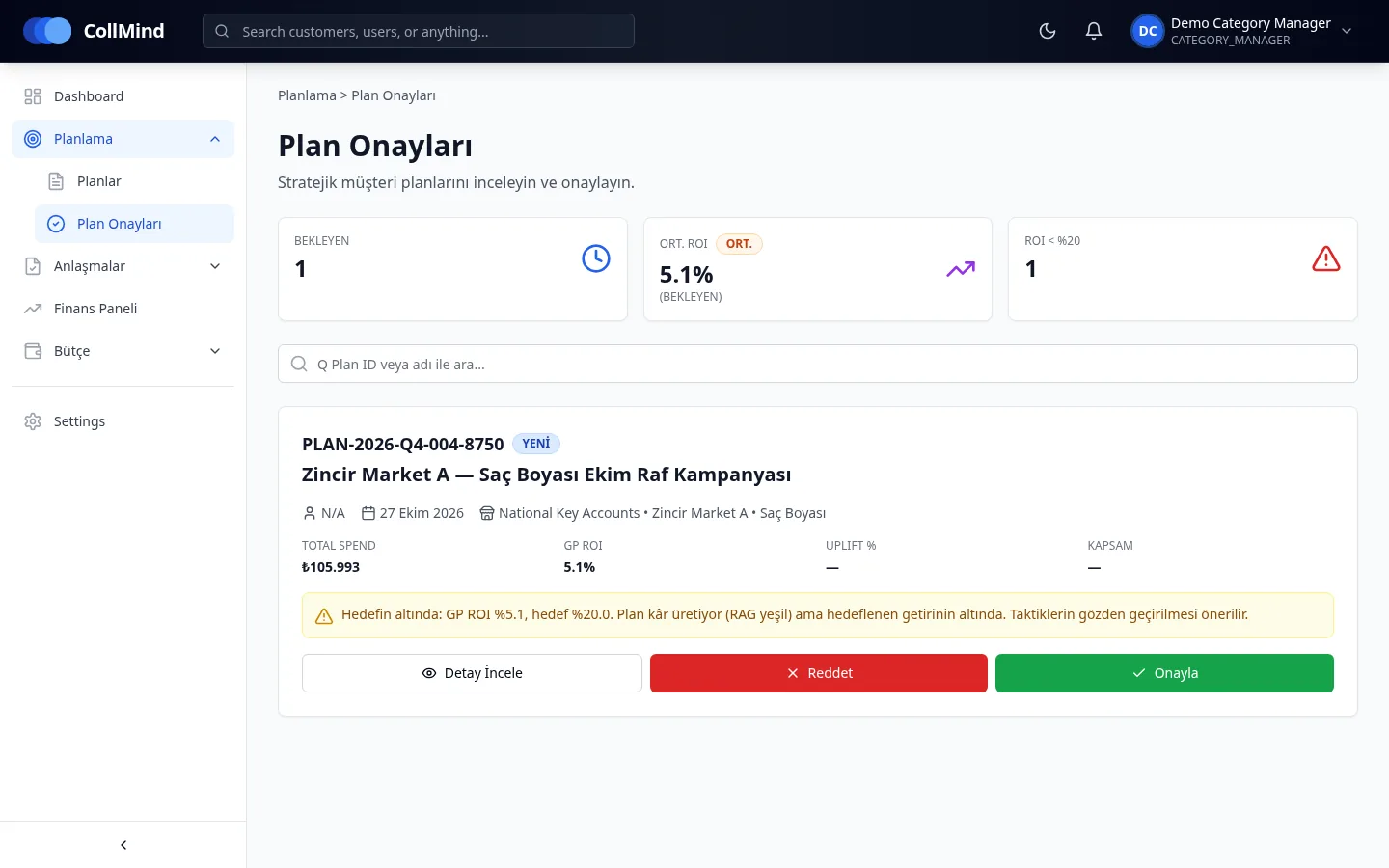
Approval queue with KPIs
Pending plans listed with spend, GP ROI, below-target warning and scope.
CollMind TPM · Approval
Submitted plans appear in the approval queue with spend, GP ROI and status against target. Approvals and rejections are recorded with a reason and their history is never deleted. Nobody can approve a plan they submitted, and each user sees only their own customer-group and category scope.
The challenge
Promotion approvals are often given by email or in meetings. Later, nobody can find who approved what, when, or looking at which number, and the same person can both prepare and approve a plan.
How it works
The planner submits a plan that has passed the budget check.
The plan lands in the approver’s queue with spend, GP ROI and target status; plans below target are flagged.
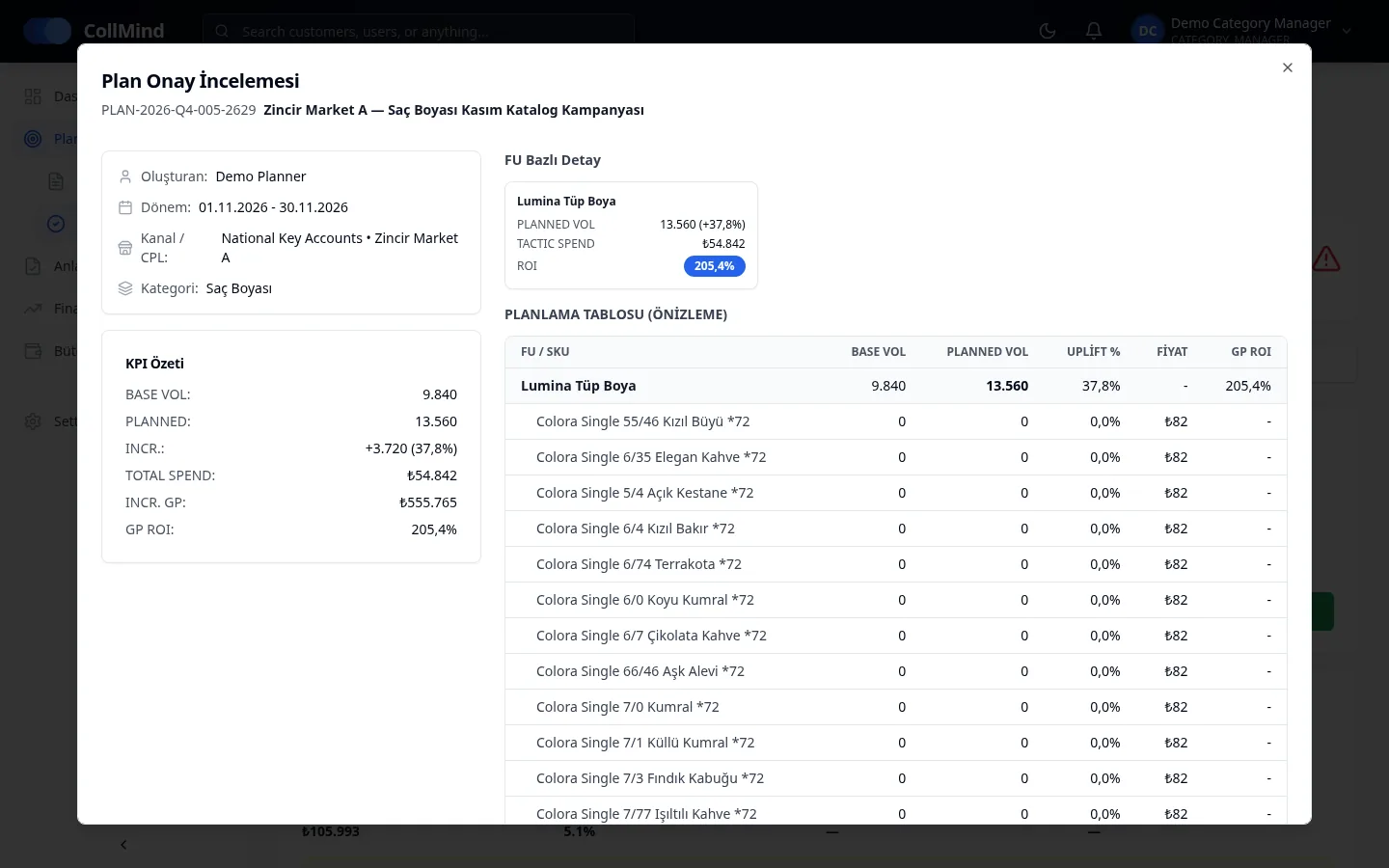
The approver sees product-group detail and a KPI summary in the plan review.
Approval or rejection is recorded with a reason; in the standard template, finance approval is added when the budget is exceeded.
Key capabilities
Pending plans listed with spend, GP ROI, below-target warning and scope.
Decisions are recorded with reasons; approval history is never deleted.
Nobody can approve a plan they submitted; the rule checks the person, not the role.
Standard (category manager; finance on overrun) and two-level approval.
Administrator, category manager, planner, finance and read-only.
Each user’s scope is customer group × category; users without a scope see no data.
Screens
Who it is for
Review queued plans with their KPIs and decide with a reason.
Approves plans that require a budget overrun.
Define users, roles and scopes.
Screenshots use demo data; brand, customer and user names are illustrative. The product UI is shown in Turkish.
Roadmap
The items below are not yet available; they are in development or planned.
We will show how your approval flow and permission structure are set up in CollMind TPM.