Excel / CSV import
Customers, base volume, on- and off-invoice transactions. Turkish number and date formats are supported; ambiguous formats (1.234, 3/4/26) are rejected, never guessed.
CollMind TPM · Foundation
Product hierarchy, customers, prices, costs and sales are treated as ERP data; CollMind TPM reads them and never overwrites them. Today data enters via Excel/CSV and is validated, and every operation runs through a REST API. Tenants are separated at database level, access is limited by role and scope, and financial records cannot be deleted.
The challenge
Product codes, customer groups and price/cost data circulate in different files and versions. Anyone who opens a spreadsheet can see and change everything, and nobody can tell who changed a financial record, or why.
How it works
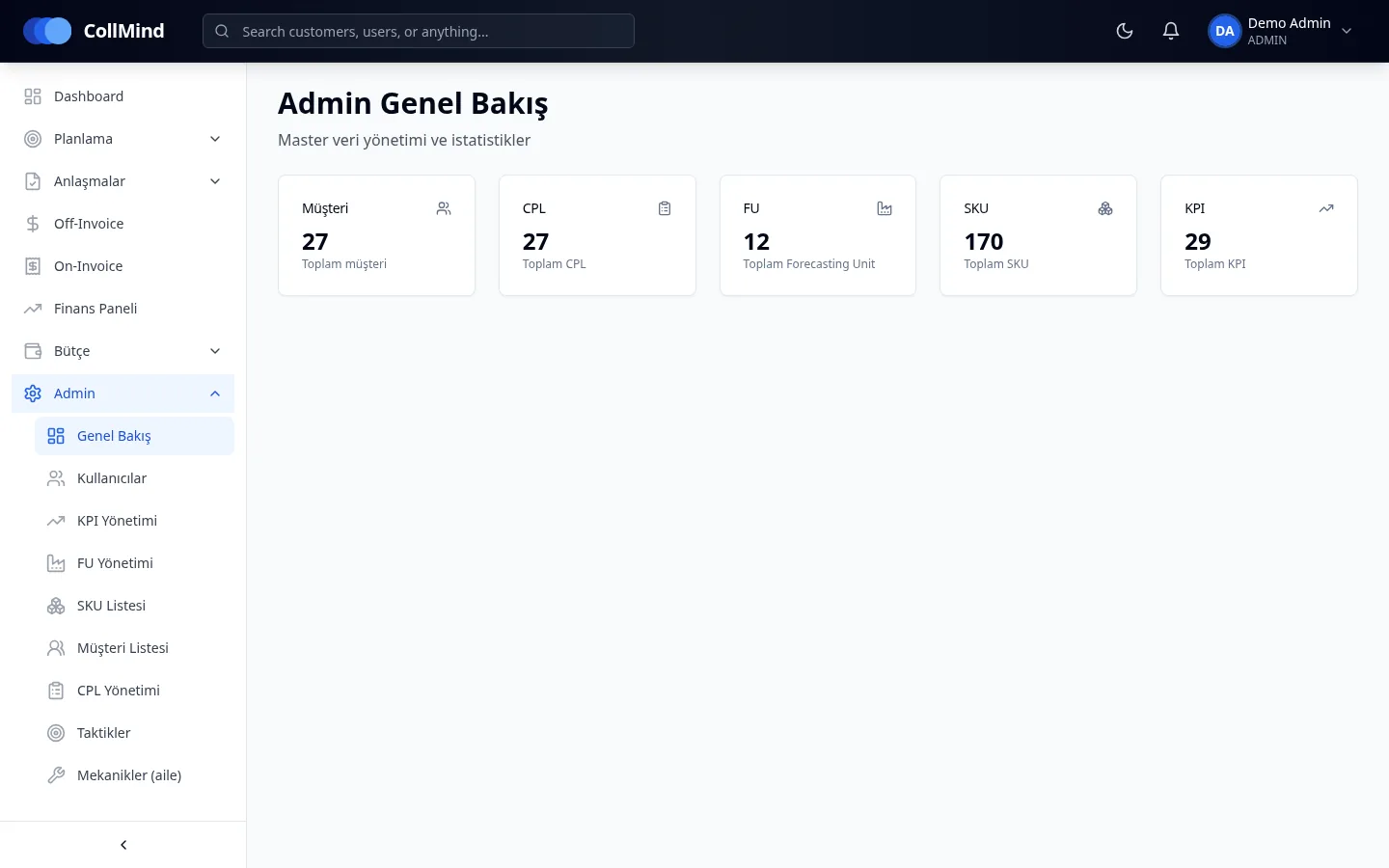
Product hierarchy, customers and customer groups, channels, and the tactic and mechanic catalogue are defined on admin screens.
Customers, base volume and on/off-invoice transactions come in through upload → validate → confirm.
Users are given a role and a customer-group × category scope.
Administrator actions, approval history and the ledger are kept as immutable records.
Key capabilities
Customers, base volume, on- and off-invoice transactions. Turkish number and date formats are supported; ambiguous formats (1.234, 3/4/26) are rejected, never guessed.
Every operation runs through a REST API, documented with Swagger.
Every record carries a tenant ID; database-level row security (RLS) and separate application, migration and operator database roles. Out-of-scope records return a uniform “not found”.
Role checks on every endpoint, deny by default, segregation of duties; scope is customer group × category.
Administrator actions, approval history and the ledger cannot be deleted.
JWT sessions; the application will not start if the signing key is missing, weak or a known default. Passwords are stored with bcrypt.
Who it is for
Set up data flows through files and the API.
Assess tenant isolation, the access model and the audit trail.
Manage master data, users, roles and scopes.
Screenshots use demo data; brand, customer and user names are illustrative. The product UI is shown in Turkish.
Roadmap
The items below are not yet available; they are in development or planned.
Backend and data contract ready; the upload screen is on its way.
We will show how your product and customer structure is brought into CollMind TPM using your own files.